

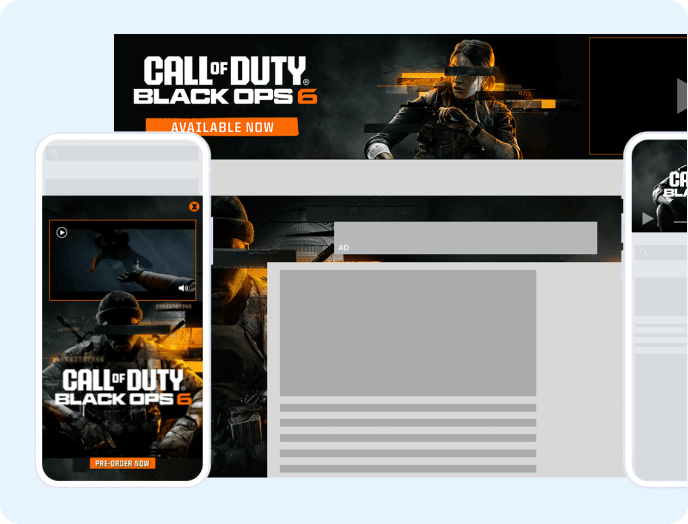

In-app advertising is the practice of serving ads inside a mobile or desktop app, where advertisers pay the app's owner for access to its users, almost always on a cost-per-thousand-impressions basis. That's the business model in one sentence.
Ads are easy to add. They're also easy to get wrong, and the ways they go wrong are rarely obvious from inside the app. You can ship a build, see an ad on launch, assume everything works, and spend two months losing most of your fill to a bug in your own view logic.
This guide covers the formats available to you, the stack required to run them, the metrics that tell you the truth, and the specific failure points that cost app developers money. You have plenty of app revenue models to choose from, and in-app advertising remains one of the most durable.
What Is In-App Advertising?
In-app advertising is the exchange of user attention for advertiser money inside an app. You own access to your users. Advertisers want that access. They pay you for it, thousands of times a day.
The first thing our app engineering team tells any developer walking in with zero ad experience is this: you need scale for all of this to work. You need a lot of users before ad revenue becomes meaningful rather than a rounding error on your P&L.
The second thing is that no two users see the same thing. Targeting signals determine which advertiser wins each impression, and geography is one of the heaviest signals in the mix. A user in the US gets a different ad experience than a user elsewhere, often including entirely different advertiser categories such as sports betting.
How In-App Advertising Works
The chain between a user opening your app and money landing in your account has more links than most developers expect, and every link is a place it can break.
Your app's SDK fires an ad request when a placement becomes eligible, such as a screen loading or a user tapping a reward button. That request fans out to your demand partners, who bid in real time based on the signals attached to the request: format, geography, device, consent status, app category.
A winning bid returns an ad response to your app. Your app then has to render that ad, which means putting it on screen where the user can see it. Only when the ad is on screen does the impression count, and only then do you get paid.
Our app engineering team puts it this way: "You only get paid on the impression, but all that stuff has to work before you get there."
Our model is CPM-based, one of several in-app advertising revenue models publishers use. You earn per thousand impressions served, which keeps your revenue tied to delivery rather than to a user's downstream behavior. If you want the comparison against install- and action-based pricing, we covered it in CPA vs. CPM.
Types of In-App Ads
Format choice is a placement question before it's a revenue question. Some units sit in place and ask nothing of the user. Others take the whole screen and need permission, implicit or explicit, to do it. The split between those two groups drives almost every decision in this chapter.
You can see each of these running in context on our in-app ad unit demos.
Banner Ads
Banner ads are the 320x50 units that sit inline or stick to the top or bottom of a screen. They're the lowest-friction format in the category, and they still earn their keep.
Banners carry good demand, they're easy to place almost anywhere, and they don't take much vertical space. You can anchor one as a sticky unit that persists across a session, or drop one every few items inside a scrolling list.
The trade-off is price. Banners deliver the lowest CPMs of any in-app format, so their value lives in volume and persistence rather than in any single impression.
MREC Ads
MREC units are 300x250 rectangles, and they behave like banners with more surface area. They fit naturally inside content feeds, between list sections, or in the dead space at the bottom of a results screen.
The larger canvas generally pulls stronger CPMs than a 320x50, and it opens the unit to richer creative including video. The catch: 300x250 eats a meaningful chunk of a phone screen, so placement has to be deliberate rather than opportunistic.
Native Ads
Native ads are styled to match your app's own UI. They're still labeled as ads, but typography, layout, and color follow your design system, so they read as part of the experience instead of an interruption.
That makes native the natural pick for apps where experience quality is the product. Letterboxd is a good example of a publisher that cares deeply about how an ad sits inside its interface.
Native isn't a top earner today. Demand for native in-app inventory is still thin relative to banner and full-screen formats, and because fewer native placements are live, there's less data to prove otherwise. Implementation effort sits close to a banner. Expect the revenue to sit below one until demand catches up.
Interstitial Ads
Interstitial ads are full-screen takeovers that appear at a break in the user journey rather than alongside content. The canonical case is a mobile game: a user finishes a level, the interstitial loads, the next level follows.
Interstitials run as image or video, and video interstitials sit among the higher-CPM formats available to app publishers. From an implementation standpoint they're easier than banners, since you call for the ad and the SDK handles presentation rather than you wiring it into a view hierarchy.
Rewarded Ads
Rewarded ads trade a completed view for something the user wants: in-app currency, extra lives, an unlocked feature, a coupon. The user opts in, which changes the economics of interruption entirely.
Because the user agreed to the trade, rewarded units tolerate a longer, more obtrusive experience than an interstitial would, including a close-button countdown. Nobody minds waiting when they know what's waiting on the other side.
Rewarded fits games with consumables best. If your app has a currency, a life count, or a gated feature, you already have the hook the format needs.
App Open Ads
App open ads fire on cold start or when a user returns to a backgrounded app, bridging the moment before your content appears. They're simple to wire up because the trigger is the app lifecycle rather than a placement in your UI.
Tolerance is the limit here. App open works in a subset of apps rather than all of them, and it punishes apps that users dip into many times a day for short sessions.
Playable Ads
Playable ads give the user a short interactive demo inside the ad itself, usually promoting another game. They command premium pricing because engagement is active rather than passive, and they're typically delivered through a demand partner's interstitial or rewarded slot rather than as a separate unit you integrate.
If you want the longer breakdown on high-engagement interactive formats and where they fit, start with our ad unit library.
Adding In-App Video Ads
Video consistently delivers the strongest CPMs in app monetization, and you don't need any video content of your own to collect them. Most exchanges and networks already support video demand, so the lift is smaller than publishers assume.
What you do need is a player SDK capable of initiating programmatic auction calls and bidding. Mobile games are the clearest proof of concept: they run interstitial or rewarded video between levels and at session boundaries without producing a single frame of video content.
Get a full breakdown of video strategy here.
Choosing Formats and Placements
The most expensive misconception in app monetization is that more ads equal more money. It holds for a while. Then it stops, and the point where it stops is closer than most developers think.
There's a real window where adding one more placement increases revenue. Past that window you hit diminishing returns, and past that you start actively hurting performance: lower fill as demand thins out across too many requests, worse retention, and a slow slide in your app store rating.
Placement logic follows the format split from the last chapter. Banners, MRECs, and native units sit in place and don't need permission, so you can position them against content flow. Full-screen formats need a user action or a natural break to earn the interruption.
Screen real estate is the constraint people forget. We've had conversations about adding a second banner to an app where the publisher's own UI chrome already consumed about 20% of the screen. Two ad units on top of that left the user looking at a sliver of content, and no CPM makes that trade worthwhile.
Work from your app's structure outward. Does it have levels or session boundaries? Interstitials fit. Does it have consumables or a currency? Rewarded fits. Is it a single continuous screen, like a board game or a reader? Banners and MRECs beside the content do more for you than anything full-screen.
The Benefits of In-App Advertising
Ads do three useful things for an app business, and each one comes with a condition attached.
Your app stays free. Advertising removes the purchase decision entirely, which widens the top of your funnel and matters most in categories where users have never paid for anything. The condition is ad load: the moment your experience feels heavier than the content, the free-app advantage evaporates.
Revenue scales with usage rather than conversion. Every session generates inventory, so growth in daily active users translates directly into growth in impressions. The condition is scale. Below a certain volume, ad revenue won't cover much.
Rewarded formats can add value to the experience. A user who gets extra lives for watching a 30-second video walks away having gained something. The catch is that the reward has to be worth the watch. Underprice it and you've built an interstitial with extra steps.
One more benefit is less visible: ad revenue is diversifiable. Programmatic demand, direct demand, and high-impact formats all draw from different buyer pools, which makes the revenue line steadier than a single subscription tier.
Choosing a Monetization Model
Ad-supported, freemium with ads, paid, and hybrid all work. Which one works for you depends less on industry trend and more on three specifics: what kind of app you've built, how old your users are, and how novel the thing you're building is.
Creative and professional tools sit at one end. If you're serving creative professionals who already pay for software, they'll pay for yours, and they'll resent ads on top of it. A tool a user opens eight hours a day at a $20 price point has very little reason to carry a banner.
Casual consumer apps sit at the other end. Most casual users won't pay for a utility or a card game, though age skews this more than people expect, and older cohorts pay for things younger cohorts won't touch.
Games increasingly run freemium with ads rather than choosing between the two, using rewarded units to monetize non-payers while keeping the purchase path open.
For a wider view of the options, including the ones that don't involve advertising at all, see our breakdown of 8 app monetization strategies.
The App Publisher's Ad Stack
Running in-app advertising properly requires a specific set of components, your ad tech stack. Each piece below carries its own job and its own failure mode.
The SDK
The SDK is the code that lives in your app and does the work: requesting ads, handling the auction, presenting creative, and reporting back. Everything downstream depends on it being integrated correctly and kept current.
SDK version drift is a real operational cost. Demand partners update theirs, dependencies conflict, and somebody has to reconcile that before each release. Running a single SDK that wraps your demand instead of a dozen separate integrations removes most of that maintenance surface.
Demand and Mediation
Ad mediation is an app monetization solution that lets a developer manage multiple ad networks through a single integration, with consolidated reporting across all of them.
A mobile ad mediator routes your available inventory to every network you work with, including sources like Google AdMob, which is the practical path to broader demand without managing each integration yourself. A single demand source, even a large one, leaves money behind: unfilled requests and CPMs that reflect one buyer's appetite rather than the market's.
For a comparison of the options, see our rundown of the best mobile ad mediation platforms.
In-App Bidding
In-app header bidding replaces the sequential waterfall with a unified auction. Instead of offering each impression to partners in a ranked order and accepting the first bid that clears your floor, you solicit bids from every partner simultaneously and take the highest one.
The difference compounds. A waterfall systematically undersells inventory whenever a lower-priority partner would have paid more than a higher-priority one, which is most of the time. Bidding also reduces latency compared to walking a long waterfall, which protects render rate.
Implementation is the hard part. In-app bidding requires either experienced developers or a partner who has already built and maintains the plumbing.
App-ads.txt
App-ads.txt is the authorized-seller file that lets demand partners verify your inventory is legitimately yours to sell. It has to live at a specific path on the developer domain listed in your store listing, and that path is different for every developer.
A dynamic app-ads.txt solution fixes the maintenance half of the problem. You point your domain once at a managed file, and the file gets updated as demand partners change, so your authorized-seller list doesn't drift out of date the next time a partner is added.
Consent Management Platform
As privacy rules keep shifting, consent management has moved from a compliance checkbox to a revenue lever. A consent management platform collects and signals the opt-ins that determine whether a request carries targeting signals or goes out anonymous.
Hard-coding consent flows yourself is a losing proposition, because the rules change faster than most roadmaps. An established CMP absorbs those changes for you.
Google Ad Manager and MCM
If you're running Google Ad Manager, getting AdX access means Multiple Customer Management (MCM) has to be configured correctly for a partner to transact on your behalf. So do your application keys and the full end-to-end request chain.
None of the optimization work above matters if this foundational layer is wrong. Confirm it before you start tuning anything.
Data Management Platform
A data management platform turns the signals your users generate into audience segments advertisers will pay a premium to reach. Demographics, behavior, and engagement patterns all have buyer value when they're organized.
First-party data has become more valuable as device-level identifiers have become harder to access. Skip this layer and you're selling generic inventory in a market that pays for specificity.
Getting Started with In-App Advertising
Set your expectations honestly before you start. Going from first integration to live revenue takes anywhere from about a week to a month or two, and the variance has almost nothing to do with technical difficulty.
The pacing problem is release scheduling. Ad work gets slotted into a two-week sprint and shipped inside the same app release as everything else the team is building. If anything else in that release has bugs, your ad integration waits with it.
The cleanest onboarding we see looks like this: a developer integrates, sends us a build within 24 to 48 hours, we run a build review, everything checks out, and it works correctly the first time. The build review exists because even good teams miss a step, and catching a missed step before release is worth considerably more than catching it after.
A recent example: a sports-league community app, built in React Native, acquired by a holding company that wanted to scale it up. Varied teams produce varied results, and the difference usually comes down to whether the developer treats the integration checklist as a checklist.
Why Apps Are Harder Than Web
On web, a change is live for every user instantly, and a fix is live just as fast. On app, once a build ships, you're committed to it.
Building Revenue at Scale
Scaling in-app advertising revenue rewards sequence. Build a real user base first, introduce small non-intrusive placements, gather feedback, and expand ad load only as the data supports it.
Then keep testing. Experimentation is the only way to locate your app's specific ceiling, and the apps whose revenue keeps climbing are the ones still running experiments two years in.
Measuring Performance
Define your metrics in the order they break, because that's the order you'll need to troubleshoot them. Revenue is the last number in the chain, which makes it the worst place to start diagnosing a problem.
Fill rate answers the first question: are you getting ads back from your demand partners at all? If fill is low, nothing downstream matters.
Render rate answers the second: are the ads you got back being shown to the user? This is the layer that catches ads requested into views that never appear, and it's the one most developers don't instrument.
Impressions are what you're paid on. Fill and render both have to be healthy before an impression exists.
Above all of those sits ARPDAU, average revenue per daily active user. Our app team treats it as the north star: ARPDAU going up is how we know we're doing better. Topline revenue moves with user growth and decline, which makes it useless for judging whether a monetization change helped. ARPDAU isolates the monetization question.
What to Check First in an Audit
Start with fill rate. It's the fastest way to establish whether everything is plugged in correctly before you go looking for subtler problems.
The second case has a short list of usual suspects: a misconfigured app-ads.txt, ads being requested in the background, ads shown when they shouldn't be, or a request volume wildly out of proportion to the user base. Requesting millions of ads against a thousand users will tank fill on its own.
Measuring Against User Acquisition Spend
Developers running paid UA need ad revenue attributed at the user level to know whether a cohort paid for itself. We pass impression-level revenue back to the app, so every time an ad is shown you receive what that specific impression earned.
You can then forward that signal to whichever attribution partner you use and model ad LTV against acquisition cost on your side.
Common Problems and How to Fix Them
Most in-app revenue problems are technical, and most of them live in code we don't control. The case below illustrates the pattern better than any list could.
An app's revenue dropped sharply, ARPDAU fell with it, and the developer reached out. They were requesting 10 to 20 ads, losing roughly 70% of them, and rendering only 10 to 20%. Nothing in our stack was misbehaving.
We got access to their code, which is rare, and found the cause quickly. Their view logic was requesting ads into containers that frequently never appeared. The requests went out, the bids came back, and the ads were discarded before anyone saw them.
Ads Requested but Never Shown
This is the single most common self-inflicted wound. A developer hides an ad view, plays an animation, and shows the ad afterward, and if that sequence breaks, the request still fires while the impression never happens.
Confusing One Ad With a Working Integration
A developer sees an ad on the second app open, concludes the integration is fine, and ships. One ad every five launches looks like success from the inside and looks like a 20% fill rate from ours.
Validate with data. Check fill and render in reporting before you call an integration complete, and re-check after any release that touches ad code.
Banners That Move Between Screens
Once a banner is placed on a screen, that screen owns it. We've supported cases where a publisher wanted a banner that hides on one view and reappears on another, which behaves like a sticky banner to the user but is nothing like one technically.
We support these patterns because app architectures differ and we'd rather fit yours than force ours. The cost of that flexibility is shared responsibility: we handle our side, and the lifecycle handling on your side has to be right. When it isn't, it shows up as a render rate problem.
Bad Creatives
Creative quality has been the loudest complaint from app publishers recently. Some demand partners that perform well on revenue also push through creative nobody wants in their app, including interstitials that load without a working close button and leave the user stuck.
Creative and category blocking is the fix, and it needs to be in place before you scale a new demand partner rather than after the review scores drop. Treat blocking as part of the integration, not as an escalation path.
Privacy, Consent, and Attribution
When App Tracking Transparency arrived, the industry treated it as an extinction event. It wasn't. Revenue took a real hit, demand partners spent a long time adapting, and what emerged is the new reality rather than a temporary dip.
Apple's ATT framework requires explicit user opt-in before an app can access the IDFA for cross-app tracking. A large share of users decline, which means a large share of your iOS traffic transacts without a device identifier attached.
SKAdNetwork and AdAttributionKit
When publishers and advertisers lost the ability to track app installs at the device level, Apple's answer was SKAdNetwork, a privacy-preserving framework that reports conversions in aggregate and on a delay rather than tying them to individuals.
AdAttributionKit is Apple's successor framework, extending the same aggregate-attribution approach with support for re-engagement and alternative app marketplaces. SKAdNetwork continues to function, and apps that support both cover the widest range of advertiser measurement needs.
Privacy Sandbox on Android
Google announced it was retiring the Privacy Sandbox initiative on Android (along with the related Chrome APIs) in October 2025, citing low adoption, after years of development as its own attribution and targeting framework (Google, Engadget).
The practical takeaway for publishers is that Android's privacy-preserving measurement landscape is unsettled: Apple has committed to aggregate, on-device measurement through SKAdNetwork and AdAttributionKit, but Android publishers are back to evaluating what replaces the shelved Privacy Sandbox APIs.
What We Handle
Work with us, and this layer isn't your project. Our SDK handles the ATT prompt and its timing, personalization signals, and consent collection through our own CMP.
That matters because privacy requirements keep moving. Every framework update is maintenance somebody has to absorb, and absorbing it is part of what you're paying a partner for.
Do It Yourself, or Call in a Partner?
The build-versus-buy question usually gets framed around setup cost, which is the wrong frame. Setup isn't where the money goes.
What In-App Advertising Costs
Initial integration is modest for a competent developer. Most of the early work is account creation, key configuration, and confirming demand is connected, not complex engineering.
What We Take On
A partner is worth paying for when they absorb more cost than they charge. Here's what sits on our side of the line:
- SDK maintenance: we handle updates, bug fixes, and dependency conflicts, so you integrate once and update on your own release timeline.
- Dynamic app-ads.txt: you point your domain at a managed file once, and we keep the authorized-seller list current as demand changes.
- Build review: we review your build before green-lighting it, which catches missed integration steps before they ship to the store.
- Demand management: we monitor partner performance, escalate when a partner's spend drops, and keep adding sources to increase competition on your inventory.
What Stays With You
Some work can't move, and it's worth knowing which. Placing banners and native units correctly inside your own view hierarchy is yours, because it's your app architecture and we'd rather support it than override it.
A/B testing ad configurations is currently yours as well. If you want a cohort seeing five ads in one mix and another cohort seeing a different mix, that experiment runs on your side today.
Our Ad Tech Build vs. Buy Series covers this topic in detail here.
About Our SDK
Work with us, and you won't need a dozen SDKs. You'll need one.
Ours is an SDK of SDKs. A single lightweight integration gives you the major bidders, multiple mediation partners, and consent management, with every dependency conflict already resolved on our end before it reaches your build.
Monetizing with Us vs. a Single Mediation Partner
The case for a revenue partner over a single mediation partner comes down to one thing: how many buyers compete for each impression.
Broader demand means more competition, which means fewer unfilled requests and fewer impressions sold below what the market would have paid. We get there by integrating mediation partners and additional demand sources directly into our own SDK, so your requests fan out across the full ecosystem rather than through one network's slice of it.
Your Partner in In-App Ad Revenue Generation
Monetization is a full-time discipline, and most app teams would rather spend that time building the app. You shouldn't have to pick.
We built our platform so app publishers can focus on product while we run the stack. Add a global direct sales team and direct relationships with the major demand players, including Google and Amazon, and the result is auction pressure most single-partner setups can't reproduce.
Don't take our word for it. Read our case studies, talk to our team, and see what quality, performance, and transparency look like against your own numbers. Ready to get started? Contact us today.
Frequently Asked Questions
What is in-app advertising?
In-app advertising is the practice of serving ads inside a mobile or desktop application, where advertisers pay the app's owner for access to its users. The app requests ads through an SDK, demand partners bid for each impression, and the publisher earns revenue when an ad is shown to a user.
How much money can an app make from in-app ads?
It depends on how many daily users the app has, how often they open it, which ad formats it runs, where those users live, and how much demand competes for each impression. The most useful measure is ARPDAU (average revenue per daily active user), because it shows what each user is worth regardless of traffic swings.
Are banner ads still worth using in apps?
Yes. Banners have broad demand, sit in place without interrupting users, and fit almost any app as a sticky unit or inside a scrolling list. They earn less per impression than full-screen formats, but they run on screens where an interstitial or rewarded ad would feel intrusive, which makes them a reliable base layer.
What is app-ads.txt and why does it matter?
App-ads.txt is a file on the developer's website that lists which companies are authorized to sell the app's ad inventory. Buyers check it before bidding. If it's missing, out of date or in the wrong location, demand can quietly disappear: the app looks like it's working, but few or no ads fill.
Do in-app ads hurt app ratings and retention?
They can, if an app shows too many ads or puts them in the wrong places. Past a certain point, adding ads brings diminishing returns and starts costing users. Watch app store reviews, user sentiment and active user counts whenever you change ad load, and test changes before rolling them out to everyone.