
-1.png?width=800&height=157&name=1-playwire-logo-primary-2021%20(1)-1.png)


July 22, 2026

Editorial Policy
All of our content is generated by subject matter experts with years of ad tech experience and structured by writers and educators for ease of use and digestibility. Learn more about our rigorous interview, content production and review process here.
Key Points
- Google Search Console is a free tool, built by Google, that shows you exactly how your site appears in Google Search, which pages are indexed, and which queries are sending you traffic.
- For ad-supported publishers, GSC sits one layer upstream of your revenue: no index means no pageviews, and no pageviews means no ad impressions to fill.
- The Performance report functions as a demand forecast. Rising impressions predict incoming traffic; falling impressions warn you before your ad revenue feels it.
- GSC uses first-party data pulled directly from Google, not estimates. That makes it more reliable for traffic planning than any third-party rank tracker.
- You don't need to be an SEO expert to get value from it. A 15-minute weekly check catches most of the problems that quietly drain publisher revenue.
Most publishers discover Google Search Console the same way they discover a slow gas leak: something smells off, someone tells them to check it, and they find a problem that's been sitting there for months. That's backwards. The tool exists precisely so you can catch issues before they cost you.
If you've heard the name but never been sure what it actually does, or whether it's worth your time, this is the explainer you need. We'll keep it plain and practical, with a clear focus on why it matters specifically to publishers running ad-supported sites.

What Google Search Console Is
Google Search Console (GSC) is a free platform, provided by Google, that lets website owners monitor how their site performs in Google Search. No subscriptions, no trials, no upsells. It provides granular insights into search performance, uncovers technical errors, and supports informed, data-driven decision-making.
The key word in that description is "Google." Most analytics tools observe your site from the outside, inferring what Google might think about it. GSC is Google telling you directly. Rank trackers like Ahrefs and SEMrush estimate keyword data based on their own crawls, while Search Console pulls first-party data directly from Google with no estimates and no sampling. That distinction matters more than most people realize.
When you log into GSC, you're looking at real data from the actual search engine, not a model of it. For a deeper orientation to the platform before digging into strategy, our complete guide to what Google Search Console is and how it works for web publishers is a solid starting point.
What Google Search Console Shows You
GSC organizes its information into a handful of core reports. You don't need to use all of them on day one, but you do need to understand what each one tells you. For a full feature-by-feature breakdown of what Google Search Console does across each report and tool, we've covered that in detail separately.
| Report | What It Answers |
|---|---|
| Performance | Which queries bring people to your site, how many impressions you're getting, how often people actually click, and where you rank on average |
| Page Indexing | Which of your pages Google has found, crawled, and indexed, and which ones it hasn't, and why |
| URL Inspection | What any individual page on your site looks like to Google, whether it's indexed, and whether there are any problems with it |
| Links | Who is linking to your site from other websites, and what your internal linking structure looks like |
| Core Web Vitals | How fast and stable your pages feel to real users, the signals Google uses to evaluate page experience |
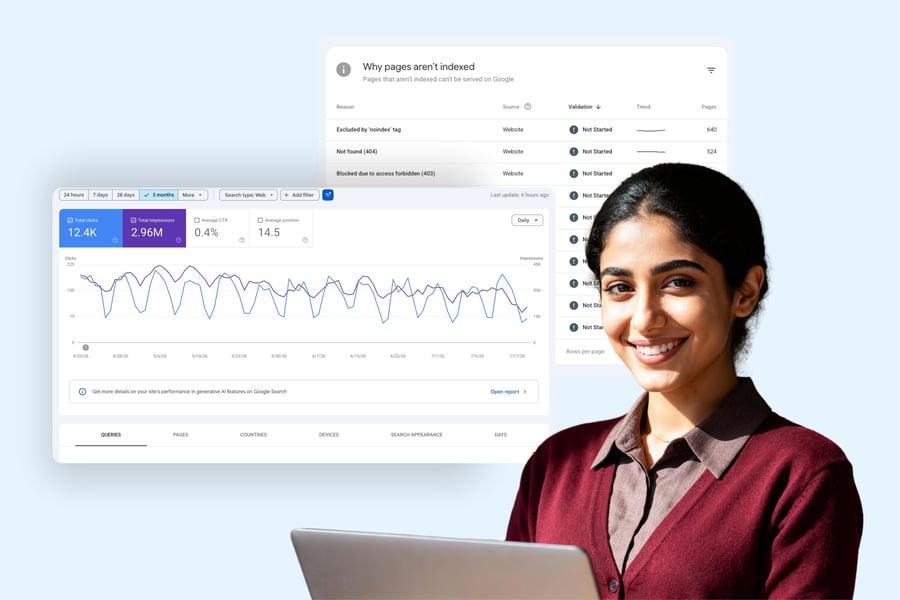
The Performance report is the one you'll return to most often. It shows clicks, impressions, CTR, and average position, and the data can be filtered by query, page, country, device, or date range up to 16 months. That last detail matters: 16 months of searchable history is a serious planning resource, though once data ages out of that window, it's gone, so export it before you lose it.
The Page Indexing report is the other one publishers should check regularly. It shows which pages Google has discovered, crawled, and indexed. A page stuck in "Crawled - currently not indexed" is a page that cost you time and money to produce and is currently earning you nothing. If you're seeing widespread coverage issues and need to diagnose them systematically, our guide to indexing problems and how to fix them walks through the common causes and remedies.

Why Google Search Console Matters More to Publishers Than Most Guides Explain
SEO guides tend to present GSC as a tool for optimizing rankings. That's accurate, but it's the wrong frame for a publisher thinking about revenue.
Your ad revenue is a direct function of your pageviews, and your pageviews are a direct function of how well Google can find and surface your content. GSC is the only tool that shows you that entire chain using real Google data instead of a third party's best guess. Our Google Search Console guide for publishers covering traffic, indexing, and ad revenue goes deeper on exactly this connection.
Think of it this way. Your ad server tells you how well you monetized the sessions that arrived. GSC tells you whether those sessions were ever going to show up. One instrument looks backward. The other looks forward.
When impressions climb on your non-branded queries, that's a leading signal that a wave of monetizable pageviews is on the way. When impressions fall, you have advance warning of a coming traffic dip, often before it shows up anywhere in your revenue reporting. Your RPM might look healthy for another week while your total ad revenue slides quietly, because fewer sessions are flowing in from search. Without GSC, that kind of drop is genuinely hard to diagnose. With it, the cause is usually obvious.
A page that isn't indexed can't rank. A page that can't rank earns zero pageviews. Zero pageviews means zero ad impressions, full stop. GSC is where you find those gaps. Understanding how to use GSC specifically to protect ad revenue is the skill set that separates publishers who react to revenue drops from those who prevent them.
Essential Background Reading:
- What Is Google Search Console? A Guide for Web Publishers: The foundational overview of what GSC is, how it works, and how to orient yourself in the platform for the first time.
- What Does Google Search Console Do? A Feature-by-Feature Breakdown: A detailed walkthrough of every major GSC report and tool, explaining what each one measures and when to use it.
- How to Set Up Google Search Console: A Step-by-Step Guide for Publishers: Property creation, ownership verification, and the first checks to run once your data starts populating.
- SEO for Publishers: How to Build a Search Strategy Around Your Content Model: How to connect your GSC data to a broader organic search strategy designed around the way publishers actually produce content.
What the Key Metrics Mean for Ad Revenue
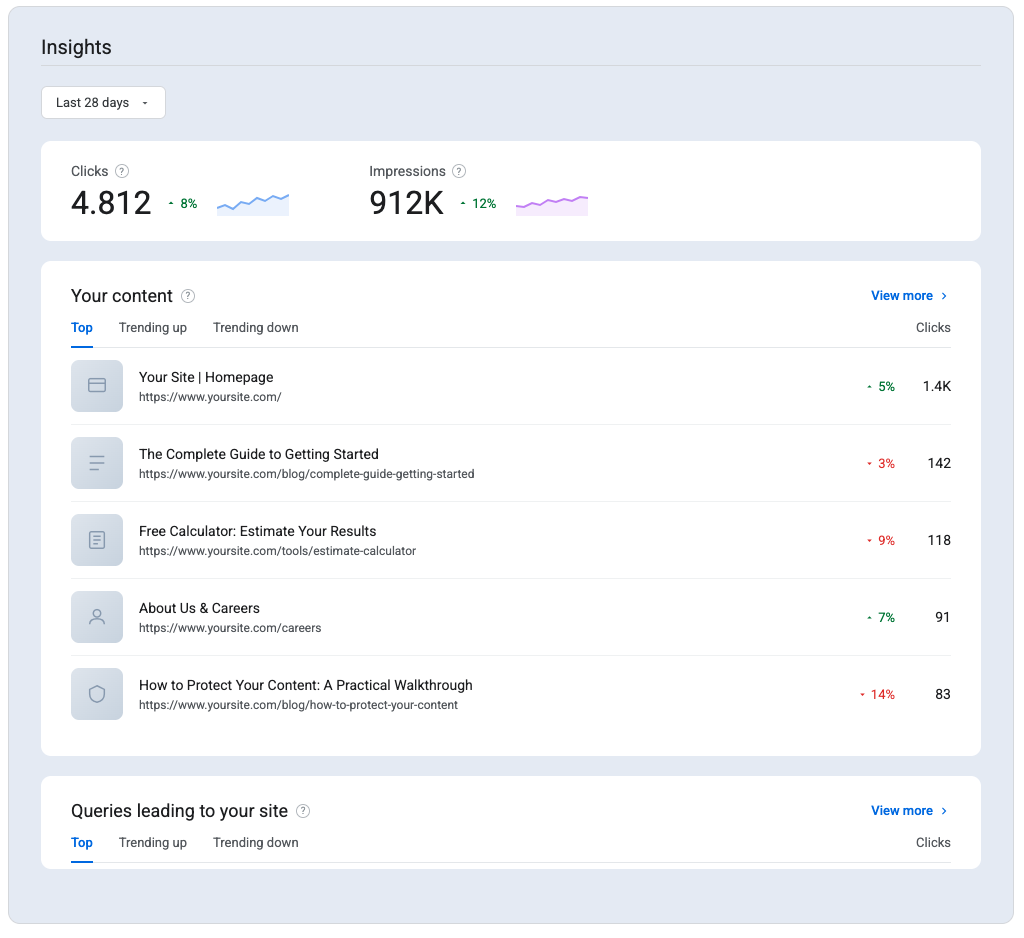
The four metrics in the Performance report map cleanly onto publisher business outcomes. Here's how to read them that way.
- Impressions: The number of times your pages appeared in search results. This is your upstream demand signal. Rising impressions forecast more sessions coming your way; falling impressions are your early warning system before the revenue drop arrives.
- Clicks: How often a searcher actually visited your page from a search result. This is the closest GSC proxy for the pageviews your ad stack will fill. Watch this number the way you watch session counts.
- CTR (Click-Through Rate): Clicks divided by impressions. A page with high impressions and low CTR is visible in search but not converting that visibility into actual traffic. For a publisher, that's free inventory sitting uncollected. You already ranked. You just weren't compelling enough in the search result to get the click.
- Average Position: Where your pages typically appear in results for a given query. Position drops are early warnings of traffic loss before they reach your analytics dashboard.
CTR deserves special attention because it's the most overlooked lever. In the Performance report's Queries list, a high impression count with a low CTR usually points to a mismatch between your title or meta description and what the searcher expects to find, and fixing that mismatch is often the fastest way to turn existing visibility into actual traffic. You're not chasing new rankings. You're converting the visibility you already have. For a structured approach to acting on these signals, our SEO publishing best practices guide covers what the data in Google Search Console is telling you and how to respond.
Related Content:
- Google Search Console for Publishers: How to Use GSC to Protect Ad Revenue: The pillar guide to running GSC as a revenue protection tool, covering the exact workflows that catch traffic problems before they cost you money.
- SEO Publishing Best Practices: What the Data in Google Search Console Is Telling You: How to interpret GSC signals and translate them into concrete editorial and technical decisions.
- How to Use Google Search Console to Improve SEO on Your Publishing Site: A practical optimization guide built around the GSC reports publishers use most, with a focus on ranking improvements that drive more sessions.
- Google's AI Search Updates: What Publishers Actually Gain: How recent changes to Google Search, including AI Mode, affect the traffic signals you're reading in GSC.
- AI Search Is Eating Publisher Traffic: Here's What to Do: What the shift toward AI-generated search results means for organic traffic and how publishers can respond strategically.
Google Search Console vs. Google Analytics: Understanding the Difference
Publishers frequently ask whether they need both tools. The short answer is yes, and here's why: they measure different layers of the same funnel.
GSC covers everything that happens before the click, in Google Search. GA4 covers everything that happens after the click, on your site. They're not redundant; they're sequential.
| Tool | What It Covers | What It Misses |
|---|---|---|
| Google Search Console | Queries, rankings, impressions, indexing status, crawl errors | On-site behavior, session duration, ad revenue |
| Google Analytics 4 | Sessions, pageviews, user behavior, conversions | Search visibility, crawl status, keyword data |
Integrating GSC with Google Analytics 4 offers a complete view of the user journey, from keyword impression to on-site behavior. That integration bridges the search-visibility layer GSC owns and the on-site engagement layer that determines how many ad impressions each session actually produces. Run both. Use each for what it does.
2025 and 2026 Google Search Console Features Publishers Should Know
Google spent the past year making GSC meaningfully more useful for time-sensitive publishing operations. Several updates matter specifically to publishers watching the traffic-to-revenue pipeline.
The 24-hour view collapsed the feedback loop. Search Console launched a 24-hour view for performance reports that displays data with only a few hours' delay, showing the recent performance of pages, queries, and published content with hourly granularity. For a publisher who just pushed a trending story, that's the difference between reacting while the topic is still hot and finding out you missed the window. News publishers in particular should read our guide on using Google Search Console for timely content to get the most out of this feature.
The branded vs. non-branded filter solved a segmentation problem publishers have managed manually for years. The branded queries filter automatically differentiates between branded and non-branded queries, where a branded query includes your brand name, variations or misspellings of it, and brand-related products or services. Non-branded performance is the honest measure of whether your content strategy is growing your audience. Branded traffic tells you people already know you. Non-branded traffic tells you new readers are finding you, and new readers are new pageviews and new ad impressions.
Two practical constraints on this filter are worth knowing before you rely on it. Google uses an internal AI-assisted system to classify queries, and some queries may be misclassified due to the contextual nature of brand detection. The filter is also only available for top-level domain properties, not subdomain or path-level properties, and sites with low impression volume may not qualify. Plan your GSC property structure accordingly if this segmentation matters to your reporting.
Two more updates round out the wave. Traffic from Google's AI Mode search experience is now counted inside Search Console under the "Web" search type, though you can't yet filter exclusively for AI Mode results. For publishers trying to understand the full picture of how Google's AI search updates affect publisher traffic and revenue, that context matters. In December 2025, Google added natural language filters to the Performance report, so instead of manually selecting filters you can type a request like "show me mobile queries with high impressions but low CTR in the last 28 days" and GSC configures the report automatically. Less time building filters means more time acting on what they reveal.
Next Steps:
- How to Use Google Search Console: A Revenue-Focused Workflow for Ad-Supported Publishers: The operational playbook for running GSC as a revenue instrument, with a cadence and workflow built specifically for ad-supported sites.
- How to Index My Site on Google: Diagnosing and Fixing Coverage Issues: A systematic guide to finding and resolving the indexing failures that silently drain publisher revenue.
- How to Get Google to Index Your Site Faster (And Why Every Hour Counts): Techniques for accelerating crawl and index on high-value content, especially important for time-sensitive publishing.
- SEO for News Publishers: Using Google Search Console for Timely Content: How news and high-velocity publishers can use GSC's 24-hour view and indexing tools to capture traffic on trending stories.
- Beyond Zero Click Search: How Publishers Can Reclaim Their Audience: Strategies for converting search visibility into loyal readership even as AI-generated answers reduce direct click-through.
A Note on Data Reliability
Any tool you build a revenue strategy on needs a reliability disclaimer, and GSC earned one recently. Publishers who lean on this data need to know when the numbers are trustworthy and when they're temporarily broken.
GSC data runs on a delay by design. Performance report data usually has a 2 to 3 day delay. That's normal. What wasn't normal was an extended stretch of outages in late 2025. Google Search Console performance reports stopped updating after October 19, 2025, creating a multi-day data gap. Then, beginning around November 17-21, 2025, the Page Indexing report stopped updating and remained stuck for nearly 30 days. In both cases, Google confirmed the issues were internal data-processing problems on their end, not problems with publisher websites, and they did not affect ranking, crawling, or indexing.
There's also a more recent wrinkle worth flagging. Google Search Console misreported impression data since May 13, 2025 due to a logging error, with corrections rolling out afterward. The takeaway isn't to distrust GSC. Treat any single day's data as provisional, anchor your decisions to trends across multiple days, and keep a backup export process running so a Google-side hiccup never leaves you completely blind.
See It In Action:
- Google's AI Search Updates Give Publishers a Real Shot at More Clicks: Real examples of how publishers are using updated GSC signals and Google AI changes to capture more organic traffic and ad impressions.
- Agency Revenue Drops Signal AI Search Traffic Shift for Publishers: Industry data showing how the shift to AI-powered search is showing up in publisher traffic and revenue reporting.
- Beyond Google Ad Revenue: Sophisticated Strategies for Sophisticated Publishers: How publishers are diversifying revenue while maintaining organic search as a core traffic driver.
- The AI Search Reckoning: Why Publishers Need Strategy, Not Panic: A grounded analysis of what AI search disruption actually means for publisher traffic strategy and how to respond.
How Often to Check Google Search Console
GSC rewards consistency over intensity. Panic-checking it after a bad revenue week is less useful than building a simple recurring cadence. Here's a practical schedule for a publisher who isn't running a full SEO operation.
| Cadence | What to Review | What You're Watching For |
|---|---|---|
| Daily (or 24-hour view) | Recently published high-value content | Whether new content is gaining search traction fast enough to catch trending demand |
| Weekly | Performance report (clicks, impressions, position) | Early signs of traffic drops that will hit pageviews and ad revenue |
| After every publish | Page Indexing report and URL Inspection | Confirmation that new content is indexed and eligible to earn pageviews |
| Monthly | Branded vs. non-branded split, link reports | Whether content strategy is growing new-reader discovery, plus backlink health |
GSC is most valuable when used consistently, not just when something goes wrong. Build the checks into your operational calendar the same way you already schedule your yield reviews. Five focused minutes each week beats an hour of reactive investigation every quarter. For a complete operational workflow built around these cadences, our revenue-focused guide to using Google Search Console lays out the full process step by step.
If you're starting from scratch, our step-by-step guide to setting up Google Search Console covers property creation, ownership verification, and the first checks to run once your data starts populating.

How Playwire Connects to the Search Traffic You Earn
GSC helps you protect and grow the traffic coming in. What happens to that traffic once it arrives is where we come in.
Our RAMP platform sits at the monetization layer: the part of the pipeline that turns your pageviews into revenue. Every session GSC helps you earn gets run through header bidding, AI-driven price floor optimization, and a demand stack built to extract the full value from every impression. Our algorithms manage 1.2 million+ price floor rules per website, adjusting automatically so you're not leaving money on the table when your search traffic arrives.
Real-time analytics let you see what's happening with your revenue at the same granularity that GSC gives you for your traffic: no 48-hour reporting delay, no month-end surprises. When a piece of content starts climbing in GSC, you'll see the corresponding revenue impact in your dashboard as it happens.
The combination is straightforward: use GSC to make sure the traffic shows up, and use a serious monetization platform to make sure every session from that traffic earns what it should. For a broader look at how to build an SEO strategy around your content model and connect it to revenue outcomes, that's worth reading alongside your GSC setup. If you want to see how much more your current search traffic could be generating, we're ready to show you.
Frequently Asked Questions About Google Search Console
What is Google Search Console used for?
Google Search Console is used to monitor how a website appears and performs in Google Search. It shows which pages are indexed, which search queries drive traffic, how often pages appear in results, how often searchers click through, and where technical problems like crawl errors or indexing failures are occurring. For ad-supported publishers, it functions as an early-warning system for traffic problems that will eventually affect ad revenue.
Is Google Search Console free?
Yes, Google Search Console is completely free. There are no paid tiers, no usage limits tied to traffic volume, and no premium features locked behind a subscription. Any verified website owner can access the full feature set at no cost.
What is the difference between Google Search Console and Google Analytics?
Google Search Console covers everything that happens before a visitor arrives on your site: search queries, rankings, impressions, click-through rates, and indexing status. Google Analytics 4 covers everything that happens after a visitor arrives: sessions, pageviews, on-site behavior, and conversions. They measure different layers of the same funnel and work best when used together.
What does Google Search Console show you?
GSC shows you the queries people used to find your site, how many times your pages appeared in search results, how many times searchers clicked through, your average ranking position, which pages are indexed, which pages have crawl or indexing errors, who links to your site, and how your pages perform on Core Web Vitals signals. All data comes directly from Google, not from third-party estimates.
How do I set up Google Search Console?
Go to search.google.com/search-console, sign in with a Google account, and add your site as a property. You can add it as a domain property (covering all subdomains and URL variations) or as a URL-prefix property (covering a specific URL and its subdirectories). Google will ask you to verify ownership, typically by adding a DNS record, uploading an HTML file, or using a Google Analytics or Tag Manager connection. Once verified, data begins populating within a few days.
How often should I check Google Search Console?
For a publisher, a practical cadence is weekly for the Performance report (watching for drops in clicks or impressions), after every content publish to verify indexing, and monthly for the Page Indexing and Links reports. Daily checks using the 24-hour view make sense for high-velocity publishers tracking time-sensitive content. Checking it only when something seems wrong means you're always reacting, never anticipating.
What are impressions in Google Search Console?
An impression is counted each time one of your pages appeared in a Google Search result, whether or not the searcher clicked on it. For publishers, impression volume is a leading indicator of future pageview traffic. Rising impressions on non-branded queries signal new audience discovery. Falling impressions are an early warning of an incoming traffic decline, usually visible in GSC before it shows up in your analytics or ad reporting.
What does "Crawled - currently not indexed" mean?
This status in the Page Indexing report means Google successfully visited the page but chose not to add it to its index. It won't appear in search results and can't earn organic traffic. Common causes include thin or duplicate content, noindex directives, or pages Google judged as low quality. For publishers, these are silent revenue leaks: content that was produced but generates no pageviews and no ad impressions.
What is the URL Inspection tool in Google Search Console?
The URL Inspection tool lets you examine any individual page on your site exactly as Google sees it. It shows whether the page is indexed, when Google last crawled it, whether there are any errors affecting it, and what the rendered version of the page looks like to Googlebot. You can also use it to request that Google crawl and index a page faster after you publish or update content.
How do I submit a sitemap in Google Search Console?
In GSC, go to the Sitemaps section in the left navigation, enter the path to your sitemap file (typically something like /sitemap.xml), and click Submit. GSC will then report how many URLs from your sitemap it has discovered and indexed, and flag any errors. Submitting a sitemap doesn't guarantee indexing, but it helps Google find your pages faster, particularly for large sites or newly published content.
Why is my site not showing up in Google Search Console?
If you've just added your site, data takes a few days to begin populating. If the Performance report shows no data after a week, verify that your property is correctly set up and ownership is confirmed. If your site isn't appearing in search results at all, check the Page Indexing report for widespread crawl errors, a site-wide noindex directive, or a manual action in the Manual Actions report. A site that was recently launched may simply not have been crawled yet.
Can Google Search Console improve my rankings?
GSC doesn't directly change your rankings, but the data it provides guides the decisions that do. Identifying crawl errors gets pages eligible to rank. Fixing "Crawled - currently not indexed" pages gives Google reason to include them in search results. Spotting high-impression, low-CTR queries points to title and description improvements that drive more clicks from existing rankings. Used consistently, GSC surfaces the specific problems and opportunities that ranking improvements are built on.
